Instruments Tuner — User Manual
What is the Instruments Tuner?
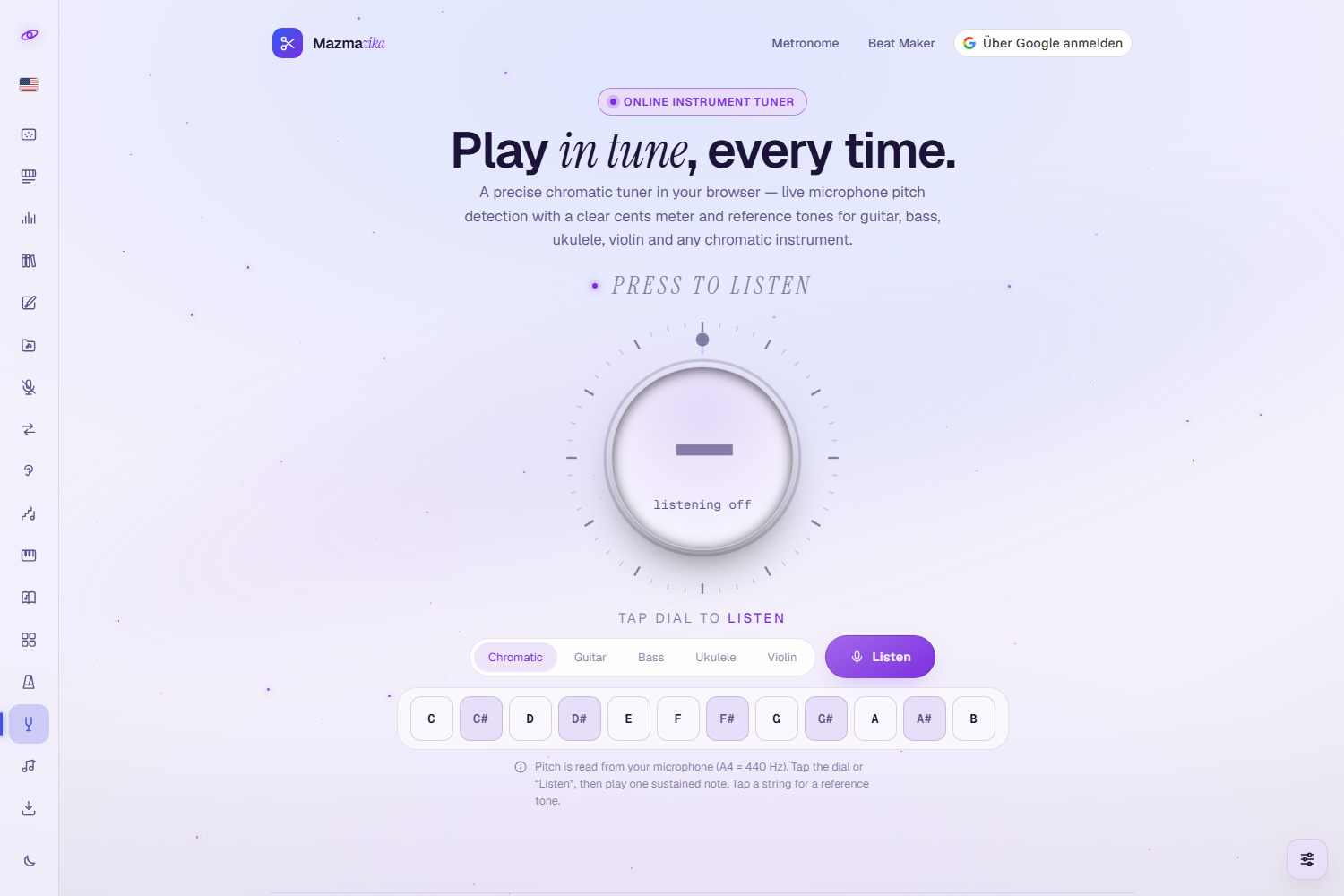
The Mazmazika Instruments Tuner is a free, browser-based chromatic tuner. It reads the pitch straight from your microphone against the standard reference A4 = 440 Hz, names the note you played, and shows how far off you are in cents — so a glance tells you whether to tune up or down. Every instrument also comes with reference tones you can tap and match by ear. Nothing to install — it runs in your browser.
Quick start
- Open the Instruments Tuner from the sidebar.
- Sign in with your Google account when the page asks — every Mazmazika tool is free, but it needs a sign-in.
- Choose your instrument: Chromatic, Guitar, Bass, Ukulele or Violin.
- Tap the dial — or press Listen — and allow microphone access. Then play one sustained note.
Reading the dial
Once it is listening, the dial does the talking. Play a single note and hold it:
- Note name — the big letter in the middle, with the octave as a small number beside it (E2, A4…).
- Frequency — the pitch it measured, in hertz.
- Cents — how far off you are, + for sharp and − for flat. A hundred cents make one semitone, so a single-digit reading is already close.
- The marker on the rim — it swings away from the mark at the top by up to fifty cents each way. Bring it back to the top and you are there.
- The word above the dial — tune up, tune down, or in tune once you are within five cents. The dial goes green at that point, amber when you are near, red while you are still off.
Tap the dial again — or press Stop — to stop listening.
Instruments & reference tones
The row under the dial chooses the instrument, and the keys below it are reference tones: tap one to hear that pitch and tune to it by ear, with or without a microphone. Each key also carries its exact frequency.
| Instrument | Reference tones |
|---|---|
| Chromatic | All twelve notes, C to B — for anything the other presets don't cover |
| Guitar | E2 · A2 · D3 · G3 · B3 · E4 (standard tuning) |
| Bass | B0 · E1 · A1 · D2 · G2 (five-string; a four-string bass uses E1 to G2) |
| Ukulele | G4 · C4 · E4 · A4 (standard, re-entrant tuning) |
| Violin | G3 · D4 · A4 · E5 |
With a stringed instrument chosen, the tuner also works out which string you are playing and highlights its key. That key repeats the guidance — tune up, tune down, or in tune — so you can keep your eyes on the strings instead of the dial.
Tips
- One note at a time — the tuner follows a single pitch. Damp the other strings and let the note ring.
- Tune upwards — come up to the pitch from below rather than down onto it; the string holds better.
- Go round twice — tuning one string shifts the neck slightly, so a second pass gets the whole instrument right.
- No microphone? Tap the reference tones and tune by ear — that needs no permission at all.
- Chromatic for everything else — wind instruments, voice, a single piano string: choose Chromatic and it names whatever it hears.
Troubleshooting
- The tuner won't listen. It needs microphone access — allow it when the browser asks. If you refused earlier, clear the microphone permission for this site and reload.
- The reading jumps around. Move away from other sound sources, play a little softer and let one note sustain. A room with a lot of echo confuses any tuner.
- The reference tones are silent. Click once anywhere on the page (browsers only start audio after you interact), then check your device volume.
- The octave looks wrong. Check the small number beside the note name — the low B0 and E1 of a bass are easy to mistake for the octave above.
- It asks me to sign in. Mazmazika's tools need a free account — press Sign in with Google and you carry on where you left off.
Related tools
Keeping time is next door in the Metronome. Train your ear with Ear Training, look up any shape in Scales & Chords, or play along on the Piano.